Зарегистрироваться бесплатно
Получите 15 ГБ бесплатного места и возможность скачивать файлы
Разблокировать обмен ссылками
Войдите или зарегистрируйтесь через свою социальную сеть
Подтвердите адрес электронной почты
чтобы получить доступ ко всем функциям 4shared. Подтверждающее письмо отправлено на адрес $[p1]
Не уверены в текущем адресе e-mail?
Изменить e-mail
Подтвердите, что вы не робот
In this article:

How to share files?
If you wish to share a file from your 4shared account, you only need to:
- Tap the °°° icon right to the file.
- Tap the Share option.
- Select the file sharing option and take further actions, accordingly.
How to share a folder?
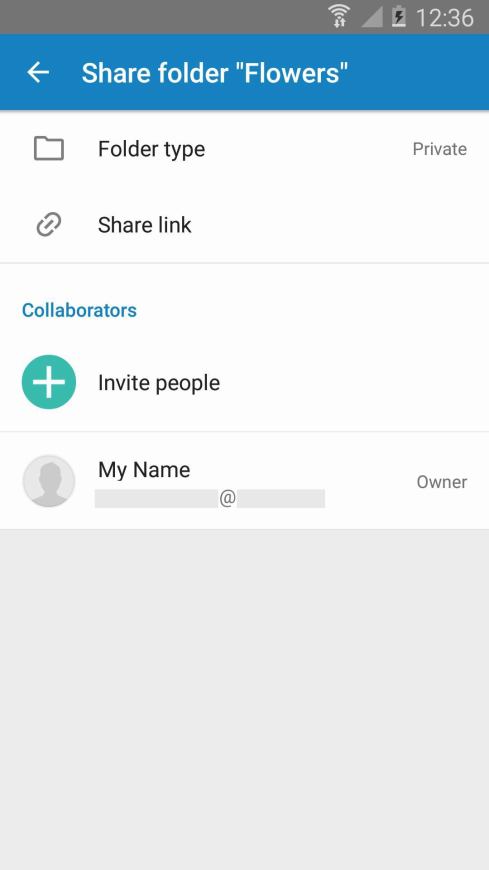
If you wish to share a folder from your 4shared account, please take the following steps:
- Tap the °°° icon right to the folder.
- Tap the Share option.
- Select the folder type (public or private).
- Tap Share link to share the folder link via a particular media channel.
- Tap Invite people, enter your friend's e-mail and define their access permission to the folder (can view/can upload & edit).
Have more questions?
Request more help